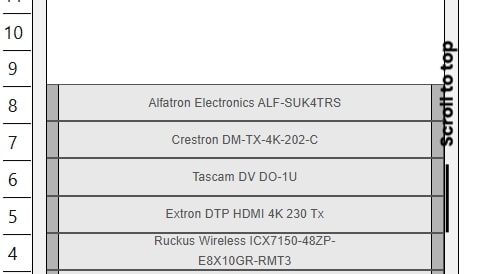
Creating accurate rack diagrams is essential for AV integrators, IT engineers, and data center professionals. Rack diagrams provide a visual blueprint for equipment placement, power distribution, cabling, and airflow management. While professional software like XTEN-AV offers advanced features, free tools are often the first choice for small teams, startups, or learning purposes. In this blog, we compare the top free rack diagram tools side by side to help you understand their capabilities, limitations, and best use cases.
Why Free Rack Diagram Tools Matter
Free rack diagram tools are valuable for several reasons:
-
Cost-Effective: Ideal for teams with limited budgets or for learning purposes.
-
Quick Start: Ready-made templates and simple interfaces allow users to start creating diagrams quickly.
-
Accessibility: Cloud-based options make it easy to work across locations without installing software.
-
Experimentation: Free tools allow engineers to test different layouts before committing to professional software.
Although free tools may not provide all the advanced features of premium options like XTEN-AV, they still serve an important role in planning and documentation.
Top Free Rack Diagram Tools
Several free tools are widely used for creating rack diagrams. Each has unique features, strengths, and limitations.
1. Draw.io
Draw.io is a popular free online diagramming tool that supports basic rack diagram creation.
Strengths:
-
Completely free and cloud-based
-
Easy drag-and-drop interface
-
Integrates with Google Drive, OneDrive, and other cloud platforms
Limitations:
-
No verified equipment libraries
-
Manual measurement input required for rack units
-
Limited cable and power mapping features
Draw.io is suitable for simple rack diagrams, conceptual planning, or educational purposes. It works best when combined with other tools for verification and documentation.
2. Lucidchart (Free Version)
Lucidchart offers a free tier suitable for small projects and basic rack diagramming.
Strengths:
-
Cloud-based with real-time collaboration
-
Predefined shapes and templates
-
Intuitive drag-and-drop interface
Limitations:
-
Limited to a small number of documents or objects in the free version
-
Manual equipment sizing and layout
-
Less focus on rack-specific functionality compared to professional tools
Lucidchart is ideal for collaborative teams working on conceptual designs or for presenting initial ideas.
3. Google Drawings
Google Drawings is a free tool within the Google Workspace ecosystem.
Strengths:
-
Free and accessible via browser
-
Simple drag-and-drop interface
-
Easy sharing and collaboration
Limitations:
-
No specialized rack diagram features
-
Manual dimensioning and equipment placement required
-
Limited visual customization compared to dedicated software
Google Drawings is useful for quick sketches or simple rack layouts but may not be sufficient for complex or professional projects.
4. Pencil Project
Pencil Project is an open-source diagramming tool that can be used for rack diagrams.
Strengths:
-
Free and open source
-
Supports offline use
-
Flexible drawing tools for custom layouts
Limitations:
-
No built-in equipment libraries
-
Requires manual input for measurements and connections
-
Lacks professional export and collaboration features
Pencil Project is best suited for engineers who prefer offline tools and are comfortable creating custom templates.
5. Creately (Free Tier)
Creately provides a free plan for creating diagrams with some rack diagram capabilities.
Strengths:
-
Cloud-based with collaboration support
-
Predefined templates and shapes
-
Simple interface for beginners
Limitations:
-
Object and document limits in the free version
-
Limited rack-specific features compared to professional software
-
Manual updates required for complex changes
Creately is useful for small projects and initial designs but may require upgrading to a paid version for larger or more detailed projects.
Side-by-Side Comparison
| Feature | Draw.io | Lucidchart Free | Google Drawings | Pencil Project | Creately Free | XTEN-AV |
|---|---|---|---|---|---|---|
| Cost | Free | Free tier | Free | Free | Free tier | Paid |
| Drag-and-Drop | Yes | Yes | Yes | Yes | Yes | Yes |
| Equipment Libraries | No | No | No | No | Limited | Verified & Extensive |
| Cable & Power Mapping | Limited | Manual | Manual | Manual | Manual | Automated |
| Real-Time Collaboration | Limited | Yes | Yes | Limited | Yes | Yes |
| Templates | Basic | Some | None | None | Some | Pre-built & Standardized |
| Export Options | PDF, PNG | PDF, PNG | PDF, PNG | PNG, SVG | PDF, PNG | PDF, PNG, CAD |
| Rack-Specific Features | Minimal | Minimal | None | Minimal | Limited | Comprehensive |
From this comparison, it is clear that free tools provide basic diagramming capabilities but lack features necessary for professional rack diagram creation, such as automated cable mapping, verified equipment libraries, and advanced collaboration.
When to Use Free Tools
Free rack diagram tools are ideal for:
-
Learning and Training: Great for students or apprentices to practice layout planning.
-
Conceptual Planning: Useful for sketching initial ideas before moving to professional software.
-
Small Projects: Suitable for simple racks with minimal complexity.
-
Budget-Conscious Teams: Allows teams to create functional diagrams without upfront investment.
However, as projects grow in complexity or require detailed documentation, switching to professional tools like XTEN-AV becomes necessary.
Why XTEN-AV is the Professional Choice
While free tools have their place, XTEN-AV provides features that free tools cannot match:
-
Verified Equipment Libraries: Accurate dimensions and specifications for AV and IT devices.
-
Automated Cable & Power Mapping: Reduces errors and simplifies planning.
-
Real-Time Collaboration: Multiple users can work on the same diagram simultaneously.
-
Standardized Templates: Consistent layouts across multiple racks and sites.
-
Professional Export Options: Export in PDF, PNG, or CAD formats for client presentations and documentation.
-
Future-Proofing: Easily accommodate upgrades, new devices, and multi-rack environments.
XTEN-AV bridges the gap between free conceptual tools and professional requirements, offering accuracy, efficiency, and scalability.
Conclusion
Free rack diagram tools like Draw.io, Lucidchart Free, Google Drawings, Pencil Project, and Creately Free provide cost-effective and accessible options for small projects, learning, or initial planning. They are useful for basic layouts, collaboration, and quick sketches.
However, for professional, large-scale, or complex projects, these tools fall short in features such as verified equipment libraries, automated cable and power mapping, standardized templates, and advanced collaboration. XTEN-AV provides a comprehensive solution that addresses these limitations, making it the best choice for system integrators, AV professionals, and data center engineers.
Using free tools can be a starting point, but integrating XTEN-AV ensures precision, reduces errors, and streamlines workflows, ultimately saving time and improving project outcomes.
Read more: https://squarespaceblog.com/rack-diagram-software-showdown-which-tool-wins/