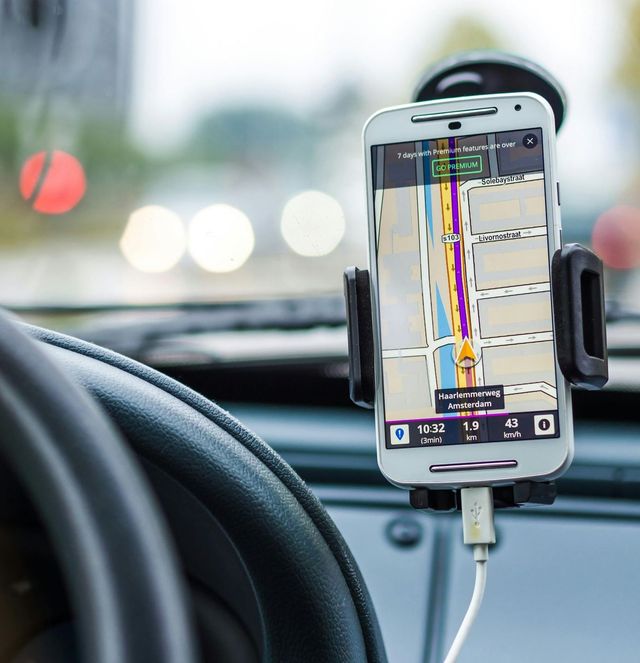
Ever wonder how some local businesses seem to pop up everywhere when you search on Google, while others are practically invisible? It’s not magic, folks. It’s usually because they’ve mastered their Google Business Profile (GBP). Think of your GBP as your digital storefront on the world’s biggest search engine. If it’s dusty, disheveled, or just plain empty, how do you expect people to walk in (virtually speaking, of course)?
In today's super-connected world, where folks are constantly whipping out their phones to find everything from the best deep-dish pizza in Chicago to a reliable car mechanic in Austin, your GBP isn't just a nice-to-have; it's a must-have. It’s your golden ticket to attracting more eyeballs, more calls, and ultimately, more customers right here in the good ol' USA. So, if you're scratching your head wondering why your phone isn't ringing off the hook, or your foot traffic is more of a trickle, stick around. We’re about to dive deep into how you can transform your Google Business Profile from a wallflower into the life of the party!
Why Your Google Business Profile is Your Business's BFF
Let's get real. When was the last time you went looking for a local business without first doing a quick Google search? Probably never, right? That’s because Google has become our go-to for everything. Your Google Business Profile is what decides whether your business shows up in those crucial local search results, on Google Maps, and even in the knowledge panel when someone searches directly for your business name. It’s literally the first impression many potential customers will have of you. And as we all know, you only get one shot at a first impression.
The Power of Local Search
Imagine you’re in a new city, say, Miami, and you’re craving some authentic Cuban coffee. What do you do? You Google "Cuban coffee near me." Google then uses your location and provides a list of businesses. If your coffee shop’s GBP isn't optimized, you might as well be invisible. Local search isn't just about finding things near you; it's about finding the best things near you, quickly and conveniently.
Sprucing Up Your Digital Shop Front: Optimizing Your GBP
Alright, so you’re convinced your GBP needs some TLC. But where do you even start? Think of this as a step-by-step guide to making your profile sparkle and shine, attracting more visitors than a grand opening sale!
1. Claim and Verify Your Profile (If You Haven't Already!)
This might sound obvious, but you’d be surprised how many businesses haven’t done this. Claiming and verifying your profile is like putting your name on your mailbox – it tells Google, "Hey, this is my place!" Without verification, you can't edit your information, respond to reviews, or really do anything to control your online presence.
2. Fill Out Every Single Detail – No Stone Unturned!
This is where many businesses drop the ball. A half-filled profile is like a half-baked cake – nobody wants it. Google loves complete, accurate information. The more details you provide, the better Google understands what your business is about, and the more likely it is to show your business for relevant searches.
- Business Name, Address, Phone Number (NAP): Make sure this is consistent everywhere online – your website, social media, directories. Inconsistencies confuse Google and can hurt your ranking.
- Categories: This is HUGE. Choose the most specific primary category that describes your business. Then, add as many secondary categories as apply. If you're a "Pizza Restaurant," don't just put "Restaurant."
- Business Hours: Keep these updated, especially for holidays. Nothing frustrates a customer more than showing up to a closed door.
- Service Areas: If you serve customers beyond your physical location (e.g., a plumber, a mobile dog groomer), define your service areas.
- Website Link: Direct traffic to your website where customers can learn more, book appointments, or make purchases.
- Description: Craft a compelling, keyword-rich description that tells people what you do and why you're awesome. Think about what makes you unique!

3. High-Quality Photos and Videos: Show, Don't Just Tell!
Humans are visual creatures. A picture is worth a thousand words, and in the world of online search, it could be worth a thousand clicks!
- Exterior Photos: Help people recognize your business when they arrive.
- Interior Photos: Showcase your ambiance, cleanliness, and offerings.
- Product Photos: If you sell products, show them off!
- Team Photos: People like to see the faces behind the business. It builds trust.
- Videos: Short, engaging videos can give a dynamic feel to your profile.
Make sure your images are high-resolution and well-lit. Think about showcasing what makes your business special, whether it's your cozy coffee shop vibe or your state-of-the-art auto repair shop.

4. Rack Up Those Reviews (and Respond to Them!)
Reviews are gold. Pure, unadulterated gold. They’re social proof that tells potential customers, "Hey, these guys are legitimate, and people actually like them!"
- Encourage Reviews: Don't be shy! Ask happy customers to leave a review. You can have a small sign, mention it at checkout, or send a follow-up email.
- Respond to All Reviews: Good or bad, respond to every review. For positive reviews, say thanks! For negative ones, address the issue professionally and offer a solution. This shows you care about customer satisfaction and are proactive.
- Keywords in Reviews: While you can't control what customers write, reviews often naturally include keywords related to your business, which helps Google understand your services better.
5. Google Posts: Your Mini Blog on Google
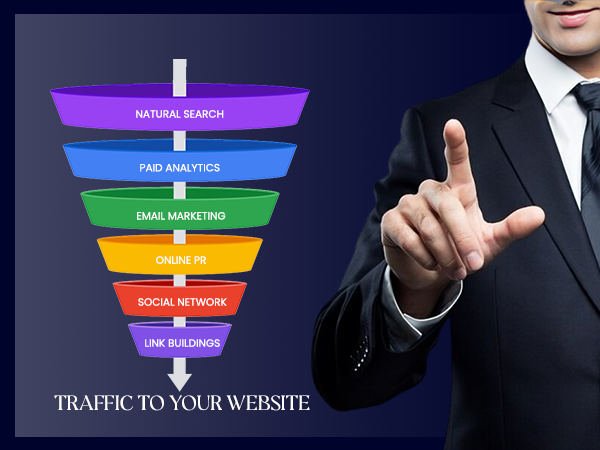
Think of Google Posts as mini-blog posts or social media updates directly on your GBP. You can use them to announce:
- New products or services
- Special offers or promotions
- Upcoming events
- News about your business
These posts appear directly in your profile and can grab attention, driving action. Keep them fresh and engaging!
6. Q&A Section: Be Proactive!

Google allows users to ask questions directly on your profile. You can also answer them! Even better, you can "seed" the Q&A section by asking and answering common questions yourself. This allows you to control the narrative and address frequently asked questions before customers even have to ask.
7. Services and Products: Detail Your Offerings
Beyond just your categories, you can list specific services or products. This is especially helpful for service-based businesses. If you're a salon, list "haircuts," "coloring," "manicures," etc. This provides even more specific keywords for Google to relate to your business.
Keeping Up with the Joneses: Ongoing GBP Management

Optimizing your GBP isn't a one-and-done deal. It's an ongoing process, like tending to a garden. Google is constantly evolving, and so should your profile.
- Regular Updates: Update your hours for holidays, post new photos, and create new Google Posts frequently.
- Monitor Insights: Your GBP dashboard provides insights into how people are finding your business, what actions they're taking (calls, website visits, direction requests), and even how many times your photos are viewed. Use this data to refine your strategy.
- Stay Competitive: Keep an eye on your competitors' GBP profiles. What are they doing well? What can you do better?
The Payoff: More Visitors, More Business
By meticulously optimizing and maintaining your Google Business Profile, you're not just playing a digital game; you're actively inviting more people to discover your business. You're making it easier for folks in your neighborhood, or even tourists just passing through, to find you when they need you most. This translates directly into:

- Increased Visibility: Your business ranks higher in local search results.
- More Website Traffic: People click through to learn more.
- More Phone Calls: Customers dial you directly from your profile.
- Increased Foot Traffic: People use Google Maps to get directions right to your door.
- Enhanced Trust and Credibility: A complete, active profile with good reviews builds confidence in potential customers.
It’s like having a super-powered billboard that everyone in town sees, but only when they're actively looking for what you offer. And in the bustling marketplace of the USA, that kind of targeted visibility is priceless. So, roll up your sleeves, dive into your Google Business Profile, and watch your visitor count soar!
| Feature | Benefit for Your Business | Impact on Visitors |
|---|---|---|
| Complete Profile | Higher ranking in search results, better understanding by Google | Easier for potential customers to find you |
| High-Quality Photos | Builds trust, showcases products/services, visually appealing | Attracts attention, makes the business more appealing |
| Positive Reviews | Social proof, builds credibility, improves local SEO | Encourages new customers, reduces hesitation to visit |
| Google Posts | Drives engagement, promotes offers, keeps profile fresh | Informs customers about deals/news, encourages action |
| Q&A Section | Addresses common queries, shows responsiveness | Provides immediate answers, builds confidence |
| Accurate NAP | Prevents customer frustration, improves consistency | Ensures customers can physically locate/contact you |

Frequently Asked Questions (FAQ)
Q1: What exactly is a Google Business Profile, and why is it so important for my business in the USA?
A Google Business Profile (GBP) is a free tool provided by Google that allows businesses to manage their online presence across Google Search and Google Maps. Think of it as your business’s public identity on Google. It's crucial because when someone searches for a product or service you offer, especially locally ("plumber near me," "best pizza in Brooklyn"), your GBP is what determines if and how your business appears. For businesses in the USA, where millions rely on Google daily, a strong GBP means more visibility, more customer trust, and ultimately, more business. It's like having a prime spot on a digital Main Street!
Q2: How do I claim and verify my Google Business Profile?
Claiming your profile is the first step. You'll go to business.google.com, search for your business name, and if it appears, select it. If not, you can create a new listing. Once you've entered your business details, Google needs to verify that you're the legitimate owner. The most common verification method is by mail, where Google sends a postcard with a verification code to your business address. You then enter this code online. Other methods might include phone, email, or instant verification for eligible businesses. It might take a few days for the postcard to arrive, but patience is key here!
Q3: What kind of photos should I upload to my Google Business Profile?
You should upload a variety of high-quality, professional-looking photos that accurately represent your business. This includes:
- Exterior shots: So customers can recognize your building.
- Interior shots: To showcase your ambiance, cleanliness, and layout.
- Product photos: If you sell physical goods, show them off!
- Team photos: To personalize your business and build trust.
- "At work" photos: Showcasing your services in action (e.g., a stylist cutting hair, a mechanic working on a car).
- Logo and cover photo: Your brand identity.
Aim for well-lit, clear images. Remember, these photos are often the first visual impression potential customers will have of your business!
Q4: How often should I update my Google Business Profile?
While there's no strict rule, it's best to update your GBP regularly to keep it fresh and engaging. At a minimum, review your profile monthly to ensure all information (hours, services, etc.) is accurate. You should:
- Daily/Weekly: Post Google Posts for promotions, events, or news.
- Monthly: Check insights, add new photos, review and respond to new reviews.
- Seasonally/As Needed: Update holiday hours, add new services or products, or change descriptions based on business evolution.
Consistent activity signals to Google that your business is active and relevant, which can positively impact your local search ranking.
Q5: What's the best way to get more reviews on my Google Business Profile?
Getting more reviews is crucial for building trust and improving your ranking. Here are some effective strategies:
- Ask Directly: Politely ask satisfied customers to leave a review after a positive experience.
- Provide an Easy Link: Create a direct link to your Google review page and share it via email, SMS, or on your website.
- In-Store Prompts: Place visible signs or QR codes in your physical location encouraging reviews.
- Follow-up: Send a follow-up email or text after a service or purchase with a request for a review.
- Respond to All Reviews: This shows you value feedback and encourages others to leave their thoughts.
Remember, never offer incentives for positive reviews, as this violates Google's policies and can lead to penalties.
Q6: Should I respond to negative reviews on my Google Business Profile? If so, how?
Absolutely, yes! Responding to negative reviews is just as important, if not more so, than responding to positive ones. It shows that you are attentive, care about customer satisfaction, and are willing to address issues. When responding to a negative review:
- Respond Promptly: Don't let it sit there for days.
- Be Professional and Empathetic: Acknowledge their frustration and apologize for the negative experience.
- Don't Get Defensive: Avoid arguing or blaming the customer.
- Offer a Solution or Next Steps: Suggest taking the conversation offline to resolve the issue directly (e.g., "Please call us at [phone number] so we can make this right").
- Keep it Concise: Get to the point.
A well-handled negative review can actually turn a bad experience into a positive impression for other potential customers who see your thoughtful response.
Q7: How do Google Posts help attract more visitors to my profile?
Google Posts are like mini-blog posts or social media updates that appear directly on your Google Business Profile. They help attract more visitors by:
- Highlighting Current Offers: Announce sales, discounts, or special promotions that grab attention.
- Showcasing New Products/Services: Keep customers informed about your latest offerings.
- Announcing Events: Promote workshops, grand openings, or community involvement.
- Driving Action: You can include calls-to-action like "Learn More," "Buy," "Sign Up," or "Call Now" directly in the post.
- Keeping Your Profile Fresh: Regular posts signal to Google that your business is active and engaging, which can improve visibility.
They provide a dynamic element to your static profile, giving users a reason to click and learn more about what's happening at your business right now.
So, there you have it, folks! Your Google Business Profile isn't just another online listing; it's a dynamic, powerful tool that can dramatically boost your business's visibility and customer engagement right here in the USA. By investing a little time and effort into optimizing and maintaining your GBP, you’re not just hoping for more visitors; you’re actively inviting them through your digital doors.
Don’t let your digital storefront gather dust. Take action today! Head over to your Google Business Profile, implement these tips, and watch as your business attracts more eyeballs, more inquiries, and ultimately, more loyal customers. What are you waiting for? Your business deserves to shine!