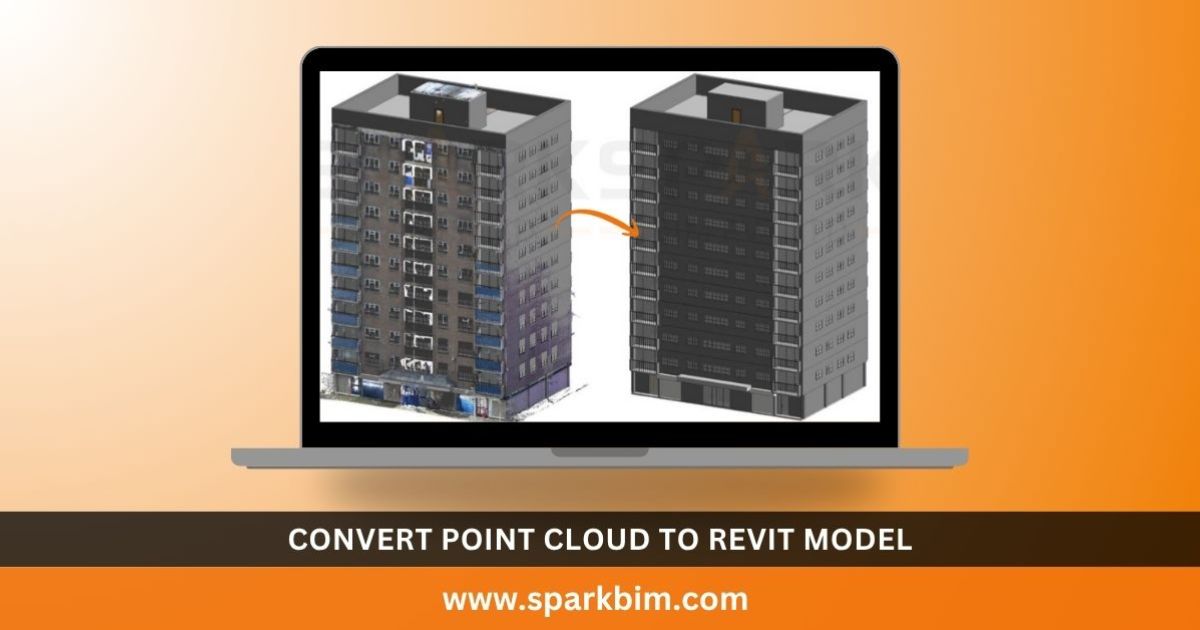
In today’s fast-paced construction and design industry, accuracy and efficiency are more important than ever. One technique that’s transforming Building Information Modeling (BIM) is the conversion of point cloud to Revit models. This method helps architects, engineers, and contractors work with precise digital representations of existing buildings or structures.
Whether it’s for renovation, restoration, or facility management, converting point cloud data into a Revit model ensures better planning and smarter execution.
What is Point Cloud Data?
Point cloud data is a collection of millions of 3D data points captured using laser scanners or photogrammetry. These points represent the external surface of buildings, structures, and landscapes in high detail. The output, usually in formats like .rcp, .las, or .e57, acts as a digital twin of the physical world. But to make this data usable in architectural and engineering design, it needs to be converted into a Revit-compatible format.
Why Convert Point Cloud to Revit Model?
Converting point cloud to a Revit model enables professionals to transition from raw 3D scans to intelligent 3D BIM models. These models include critical building components like walls, doors, beams, and columns. Here’s why the conversion is vital:
-
Accurate As-Built Modeling: Revit models generated from point clouds reflect the exact structure of the existing building.
-
Time-Saving: Eliminate manual measurements and speed up the design process.
-
Improved Collaboration: Revit models can be easily shared and integrated with other project files.
-
Cost Efficiency: Detect errors early and reduce rework in construction or renovation phases.
Also read: Tekla Report Generation Automation Services: Boosting Efficiency
Step-by-Step: How to Convert Point Cloud to Revit
-
Scan the Site:
Use 3D laser scanners like Leica, Faro, or Trimble to collect point cloud data from the site. -
Import the Point Cloud:
Open Autodesk Revit and import the point cloud file (.rcp or .rcs). Use tools like Autodesk Recap to clean and register the data before import. -
Align and Scale:
Position the point cloud within the Revit project using reference levels and grids to align it correctly. -
Model Creation:
Use the point cloud as a reference to model architectural and structural elements like walls, floors, roofs, and beams manually or semi-automatically. -
Validation:
Cross-check the modeled elements with the original point cloud to ensure dimensional accuracy. -
Documentation & Export:
Once modeling is complete, generate floor plans, elevations, sections, and export the model as required for BIM coordination.
Applications of Point Cloud to Revit Modeling
-
Renovation Projects: Accurately model old buildings for retrofit or restoration.
-
Historical Preservation: Digitally preserve historic structures with high accuracy.
-
Facility Management: Maintain and operate buildings using up-to-date as-built Revit models.
-
Clash Detection: Integrate with other trades in BIM to detect and resolve clashes before construction.
Final Thoughts
The process of convert point cloud to Revit model is revolutionizing the AEC industry by bridging the gap between real-world conditions and digital design. This technique not only enhances accuracy but also saves time and resources across project lifecycles. If you’re involved in construction, renovation, or facilities management, adopting point cloud to Revit modeling can give you a competitive edge.