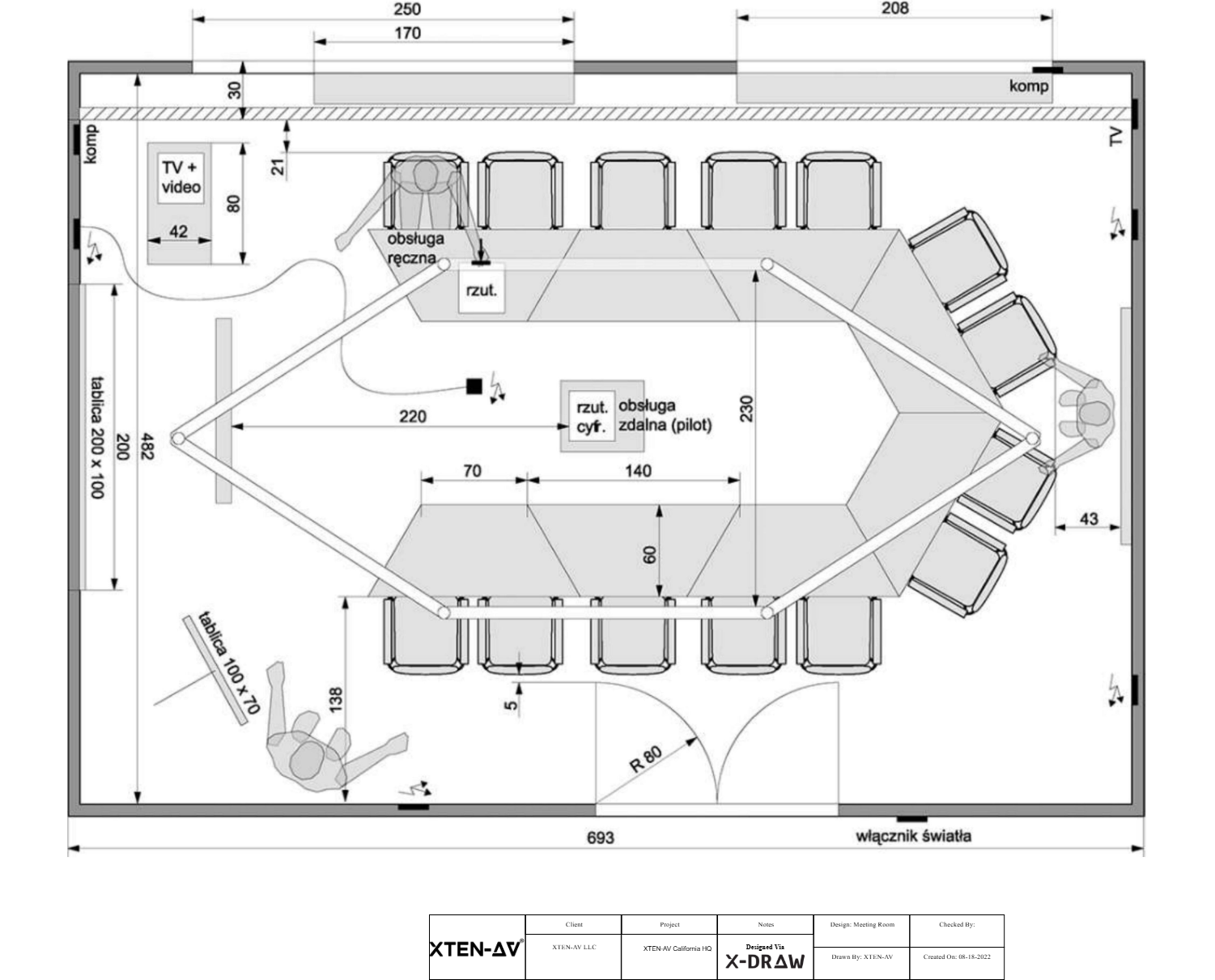
AutoCAD has long been the industry standard for computer-aided design, but AV professionals and system integrators are increasingly looking for alternatives that are more specialized, cost-effective, or easier to use. In 2025, the demand for AV CAD design tools that integrate schematic drawing software, automation, and collaboration features has never been higher. XTEN-AV has emerged as a leading solution, offering AV-focused CAD capabilities that go beyond traditional design software, making system design faster, more accurate, and more efficient.
In this blog, we explore the top 7 AutoCAD alternatives for AV CAD design in 2025, including both free and paid options, highlighting their features, strengths, and suitability for AV projects.
Introduction
AV CAD design involves creating detailed plans for audio, video, and control systems within commercial and residential spaces. These designs require precision, clear documentation, and often integration with schematic drawing software for logical system layouts. While AutoCAD remains popular, its generalized tools and subscription pricing may not suit every AV professional. Alternatives like XTEN-AV provide specialized libraries, automation, and collaboration tools tailored for AV projects.
Selecting the right CAD software can significantly improve efficiency, reduce errors, and streamline project workflows. Let’s dive into the best alternatives available in 2025.
1. XTEN-AV (Paid)
XTEN-AV is a cloud-based AV CAD design platform that combines schematic drawing software with advanced AV tools.
Key Features:
-
AV-specific symbol libraries and templates.
-
Automated wiring, cable labeling, and system validation.
-
Cloud collaboration for real-time teamwork.
-
Integration with project management tools for full project visibility.
Best For: AV system integrators, consultants, and designers managing complex installations.
2. Vectorworks Spotlight (Paid)
Vectorworks Spotlight is widely used in the entertainment and AV industries, offering strong CAD and visualization capabilities.
Key Features:
-
Pre-built lighting and AV symbols.
-
3D visualization for complex setups.
-
Integrated scripting and automation options.
Best For: Event designers, theater AV setups, and immersive AV environments.
3. D-Tools System Integrator (Paid)
D-Tools provides a specialized AV CAD solution focused on integrators and installers.
Key Features:
-
Automatic generation of schematics, wiring diagrams, and bill of materials.
-
AV-specific component libraries.
-
Project management and client documentation features.
Best For: Professional AV integrators who need end-to-end project documentation.
4. SketchUp (Free & Paid Plans)
SketchUp is known for its ease of use and 3D modeling capabilities, suitable for AV layouts and space planning.
Key Features:
-
Simple drag-and-drop interface.
-
Extensive 3D object library for AV devices and components.
-
Integration with third-party plugins for schematic drawing.
Best For: Designers focusing on spatial layouts and visualization of AV systems.
5. Revit (Paid)
Revit is a BIM (Building Information Modeling) tool that supports AV CAD design within larger building projects.
Key Features:
-
Comprehensive modeling of electrical, audio, and control systems.
-
Integration with MEP (Mechanical, Electrical, Plumbing) systems.
-
Collaboration features for multidisciplinary teams.
Best For: Large-scale commercial projects that require integration with building systems.
6. EdrawMax (Free & Paid Plans)
EdrawMax offers versatile diagramming and CAD capabilities for both simple and complex AV projects.
Key Features:
-
Extensive symbol libraries for AV, electrical, and network diagrams.
-
Easy-to-use interface with drag-and-drop functionality.
-
Multi-platform support (Windows, Mac, Linux).
Best For: Small businesses, educators, and AV designers who need cost-effective CAD tools.
7. SmartDraw (Paid)
SmartDraw provides a flexible platform for general CAD design with AV-specific templates and automation options.
Key Features:
-
Thousands of templates including AV diagrams.
-
Automated formatting for neat layouts.
-
Integration with Microsoft Office and Google Workspace.
Best For: Teams that need versatile diagramming software with AV capabilities.
Why AV Professionals Are Choosing Alternatives
-
Specialized Libraries: AV projects require symbols and templates that generic CAD software may lack.
-
Automation: Tools like XTEN-AV automate wiring, labeling, and system validation, saving hours of manual work.
-
Collaboration: Cloud-based platforms allow real-time teamwork, essential for distributed project teams.
-
Cost Efficiency: Some alternatives are more affordable than AutoCAD’s subscription model, especially for small to medium-sized businesses.
-
Integration with Schematic Drawing Software: Combining physical layouts with logical schematics ensures accurate system design and reduces installation errors.
Choosing the Right Tool
When selecting an AutoCAD alternative for AV CAD design, consider:
-
Project Size and Complexity – Large commercial projects may require Revit or Vectorworks, while smaller installations can use XTEN-AV or EdrawMax.
-
Collaboration Needs – Cloud-based tools like XTEN-AV are ideal for teams working remotely.
-
Specialized AV Features – Look for symbol libraries, automated wiring, and integration with schematic drawing software.
-
Budget – Free or freemium options like SketchUp and EdrawMax can be sufficient for simpler projects.
Conclusion
In 2025, AV professionals have more options than ever when it comes to CAD design. While AutoCAD remains a trusted tool, alternatives like XTEN-AV, Vectorworks, D-Tools, and SketchUp provide specialized features tailored for AV projects. These tools combine schematic drawing software, automation, and collaboration capabilities to improve efficiency, reduce errors, and streamline workflows.
XTEN-AV, in particular, stands out for AV system integrators, offering cloud-based collaboration, extensive symbol libraries, and AI-assisted automation. By exploring the right alternative based on project needs, team structure, and budget, AV professionals can achieve accurate, professional, and efficient system designs that meet the demands of modern installations.
Read more: https://www.linkedin.com/pulse/how-choose-right-cad-software-raj-arjun-singh-0umpe/