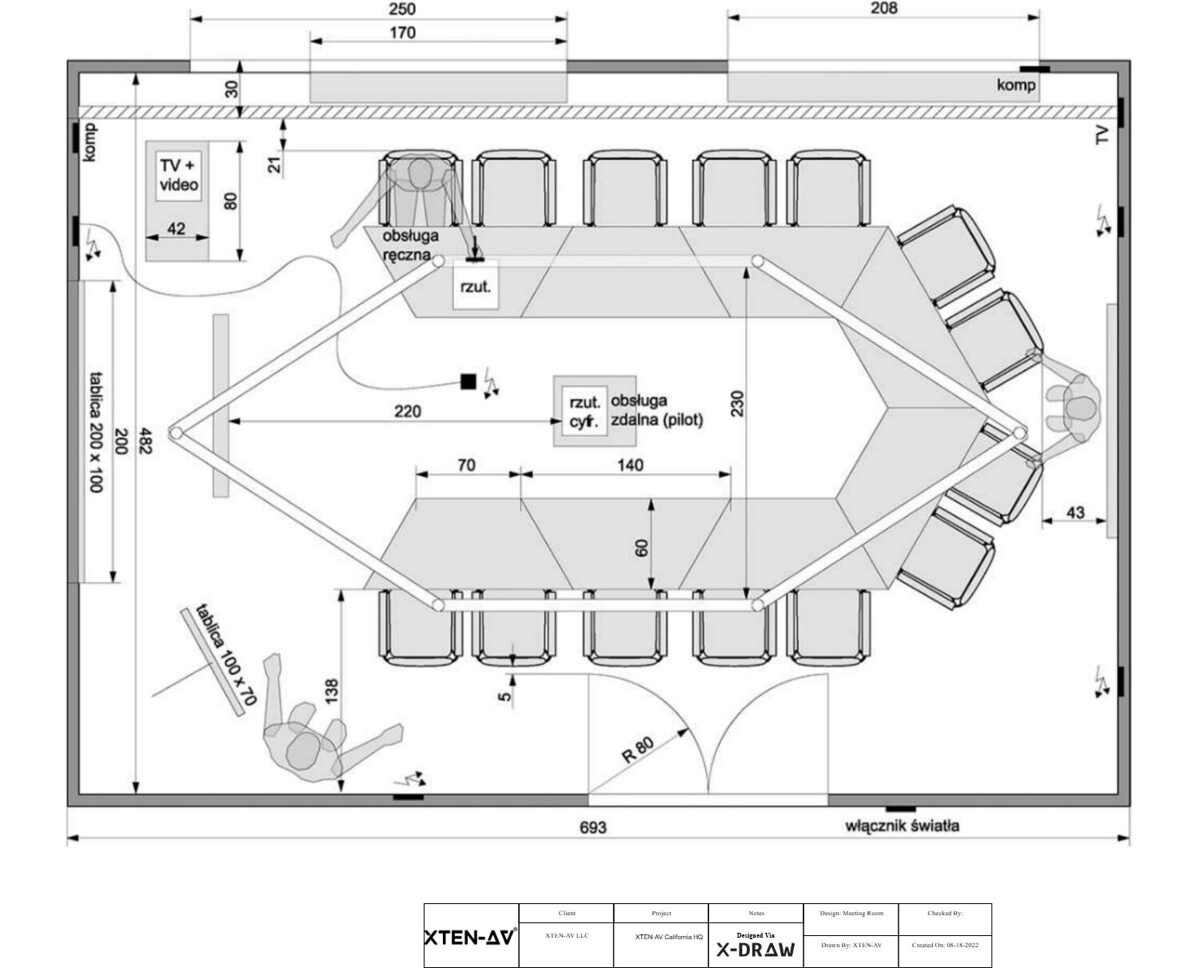
In the world of audiovisual design and integration, choosing the right software is critical for efficiency, accuracy, and professional results. Two of the leading solutions for AV system design and documentation are Vectorworks ConnectCAD and D-Tools. Both platforms offer unique features, but each has its strengths and potential limitations depending on the project and workflow.
In this blog, we will compare Vectorworks ConnectCAD and D-Tools, discuss their key features, and explore which solution may be better suited for different AV professionals and project types.
Understanding Vectorworks ConnectCAD
Vectorworks ConnectCAD is a specialized module within Vectorworks that focuses on AV system design. It provides tools for creating schematic diagrams, cable documentation, rack elevations, and automated reports. ConnectCAD is designed to integrate seamlessly with Vectorworks Spotlight and other Vectorworks tools, allowing AV professionals to work in a single environment that combines creative design with technical documentation.
Key features of Vectorworks ConnectCAD include:
-
Schematic Diagrams – Create clear, professional AV schematics for signal flow and system design.
-
Automated Cable Documentation – Generate cable lists, schedules, and connection reports with ease.
-
Rack Elevation Automation – Plan and document rack layouts efficiently.
-
3D Integration – Link schematics with 3D models for accurate device placement and visualization.
-
Seamless Collaboration – Work with lighting, stage, and AV teams in a unified Vectorworks environment.
Understanding D-Tools
D-Tools is another leading AV design and documentation platform, widely used by integrators for system planning, estimating, and project management. D-Tools is known for its focus on business workflows and operational efficiency, helping integrators manage projects from initial design to installation and post-sale support.
Key features of D-Tools include:
-
System Design and Schematic Creation – Develop AV system layouts and diagrams.
-
Estimating and Quoting – Generate cost estimates and professional proposals for clients.
-
Project Management – Track project timelines, resources, and budgets.
-
Database Integration – Access product libraries and maintain up-to-date inventory information.
-
Reporting Tools – Produce detailed installation and documentation reports for clients and installers.
Comparing ConnectCAD and D-Tools
While both platforms are used for AV design, their focus areas differ. Here’s a closer look at how they compare:
1. Design and Visualization
Vectorworks ConnectCAD excels in design integration. Its connection to Vectorworks Spotlight allows for 2D and 3D visualization of AV systems within the context of lighting, stage, and architectural layouts. D-Tools offers schematic diagrams but lacks the deep integration with creative design tools, making it less suitable for projects that require visual context alongside technical schematics.
2. Cable and Device Management
ConnectCAD provides automated cable documentation, linking schematic diagrams with device placement. This reduces errors and saves time in installation. D-Tools offers device management and reporting but focuses more on project estimates and inventory rather than detailed cable routing or schematic accuracy.
3. Project Scope and Workflow
D-Tools is ideal for integrators managing multiple projects with emphasis on business workflows, estimating, and resource management. ConnectCAD is better suited for designers who need technical precision in schematics, rack layouts, and integration with 3D models.
4. Collaboration
ConnectCAD supports collaboration within the Vectorworks environment, allowing AV designers, lighting professionals, and stage planners to work in a single project file. D-Tools supports team collaboration but is primarily focused on project management and less on integrated design visualization.
5. Ease of Use and Learning Curve
ConnectCAD benefits from the familiar Vectorworks interface, which is advantageous for users already experienced with Vectorworks Spotlight or Architect. D-Tools may require additional training for effective use, particularly for teams focused on system design and estimating.
6. Reporting and Documentation
Both platforms excel in generating professional reports. ConnectCAD automates reports tied to schematic diagrams and 3D models, while D-Tools produces comprehensive project documentation, estimates, and client proposals. The choice depends on whether your priority is technical documentation or business-oriented reporting.
Which is Better?
The answer depends on the needs of the AV professional and the type of project:
-
Choose Vectorworks ConnectCAD if:
-
You need integrated design with 3D visualization and stage or lighting planning.
-
Technical precision in cable management and rack layouts is a priority.
-
You already use Vectorworks Spotlight or other Vectorworks tools.
-
Collaboration with designers, engineers, and production teams is critical.
-
-
Choose D-Tools if:
-
You are an AV integrator focusing on project management, estimates, and client proposals.
-
Tracking budgets, resources, and installation schedules is essential.
-
You require extensive product libraries and inventory management.
-
Your workflow prioritizes business operations over 3D visualization.
-
Conclusion
Vectorworks ConnectCAD and D-Tools both provide powerful solutions for AV professionals, but their strengths cater to different aspects of the AV workflow. ConnectCAD excels in design integration, technical documentation, and visualization, making it ideal for designers and creative teams. D-Tools focuses on project management, estimating, and operational efficiency, serving the needs of integrators and business-focused AV teams.
Ultimately, the best choice depends on your role, project requirements, and the balance between creative design and operational management. For AV designers who value precision, visualization, and seamless integration, Vectorworks ConnectCAD provides a compelling, all-in-one solution that enhances workflow efficiency and project accuracy.
Read more: https://avfusionhorizon.weebly.com/blog/vectorworks-connectcad-vs-xten-av-which-fits-your-workflow